

Why Most Creators Are Leaving 80% of This Tool’s Potential Untapped
If you’ve ever struggled with…
- Stock photos that look generic, boring, or overused
- Infographics that take forever to design (and still look amateur)
- Tools that limit your creativity with rigid templates
- Visuals that don’t match your brand or message
- Low engagement because your posts don’t “stop the scroll”
…this post shows you the fix hiding in plain sight.
What you’ll learn in this post
- How a simple accident revealed a completely new use for the WA Image Generator
- Why this tool secretly outperforms big-name design apps for infographics
- How to use reference images and Reddit prompt structures to create pro‑level visuals
- The exact workflow I use to build scroll‑stopping charts, diagrams, and data visuals
- Creative ways to use the generator beyond infographics (banners, lessons, social posts, and more)
- The key design principles that make your visuals clearer, more shareable, and more memorable
Recommended Tool to Level Up Your Visual Workflow
If you want to pair the WA Image Generator with a powerhouse prompt library, I recommend Nano Banana Pro—the only tool with a larger prompt window and advanced reference‑image handling.
If you’re serious about creating visuals that teach faster, sell better, and stop the scroll, don’t just skim this post—bookmark it.
Your next infographic could be the one that finally makes your content unforgettable.
The Happy Accident That Changed Everything
My first post about the Wealthy Affiliate Image Generator was to put it through a difficult image gamut. The result? Outstanding reality. I continue to use our image generator for “original” images, the woman below.
But today’s post isn’t about testing images. It’s about a discovery that completely changed how I use the generator.
That post, Pushing the Limits of the New Wealthy Affiliate Image Generator, is here
https://my.wealthyaffiliate.com/mrdon1/blog/pushing-the-limits-of-the-new-wealthy-affiliate-image-studio-or-black-friday-preview,
I am not going to rehash its value. But here is a fun image of “Coffee with Kyle” and my WA mug,
 The secret to great videos is having great images to start with.
Then something unexpected happened…
ACCIDENTAL DISCOVERY
A couple of weeks ago, I accidentally discovered a new use for our image generator. I have always been a keyboard shortcut person: Highlight, Ctrl+C, Ctrl+V, enter. This is an automatic thing. You can imagine some of the images that I have accidentally created.
This was the first one. It was a comment that I had typed in Notepad.
I lose posts and comments in some of the oddest circumstances.
Like when I leave the laptop open to let the dogs out, and come back to see my keyboard kitten sitting in the middle of my laptop, everything gone, and a letter running across the screen.
I thought I copied an image prompt. Guess I did not. This was the comment.
I thank you for the compliment.
There is no such thing as overqualified. I will continue to master my craft.
But can I teach niche selection? It is what I do. Poor niche selection kills 95% of all bloggers. If I help one more person succeed, my day will be a success.
My posts will lead you down the path less traveled. Any niche can be profitable. I prove it every day. Who would have thought Snail Slime would be profitable? Multi-billion dollar industry.
Look where “Face Slapping” has gone…
Questions within these walls are answered freely.
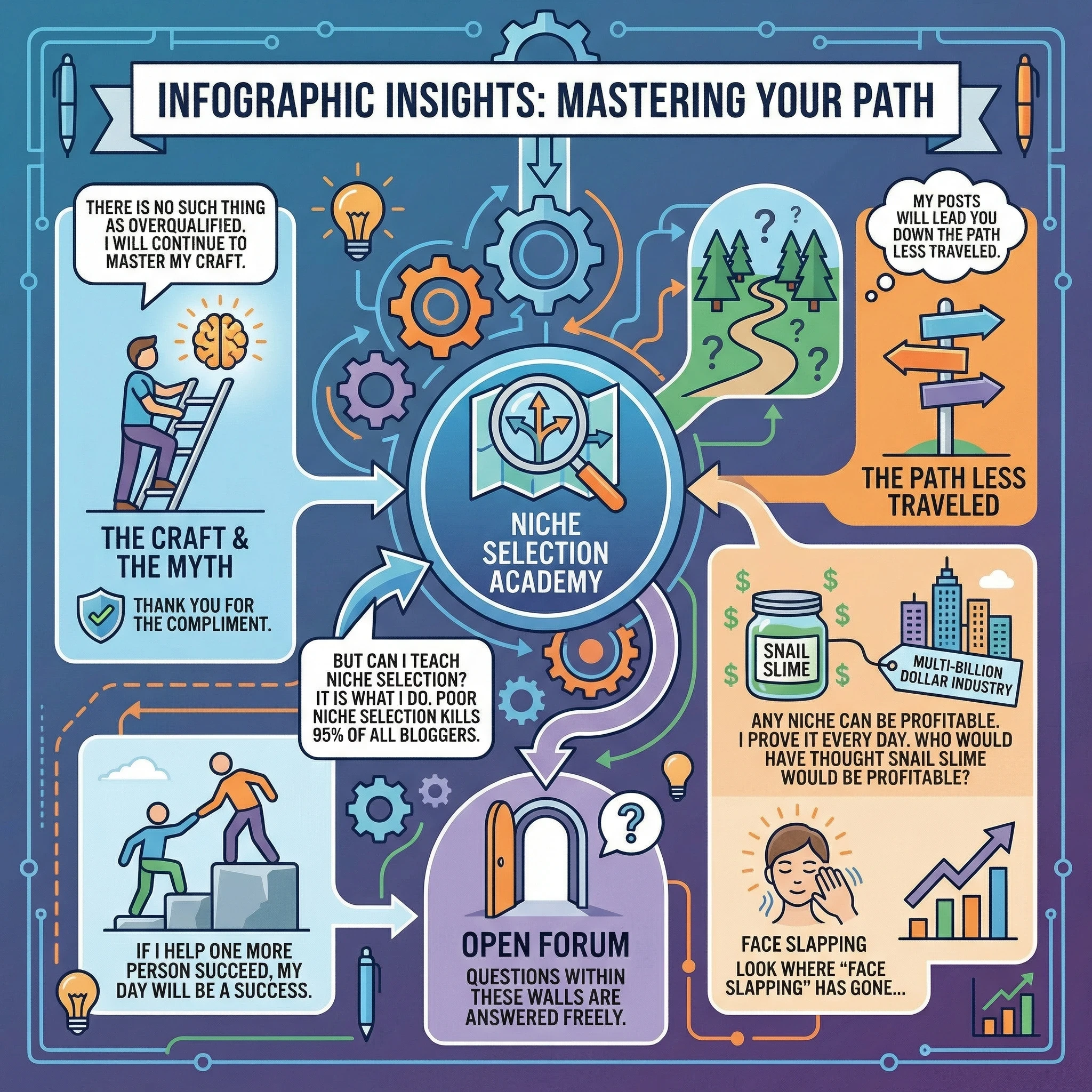
I was impressed. Since this first accident, I’ve spent hours experimenting with it. What really stands out is how easily it can create visually impressive graphics. And the spelling is even better than mine. People will look for the errors. When they find none, they may reread the content. Time on post will go up. See where I am going with this?
The WA Image Generator is secretly an incredible infographic creator
The Wealthy Affiliate Image Generator was created to be our in-house image generator. Aside from the testing, it is so simple to use. You will be hard-pressed to find something better. With a 2000-character input, even the biggest prompt is handled accurately. The only place for a larger prompting window to create images and infographics is Nano Banana Pro.
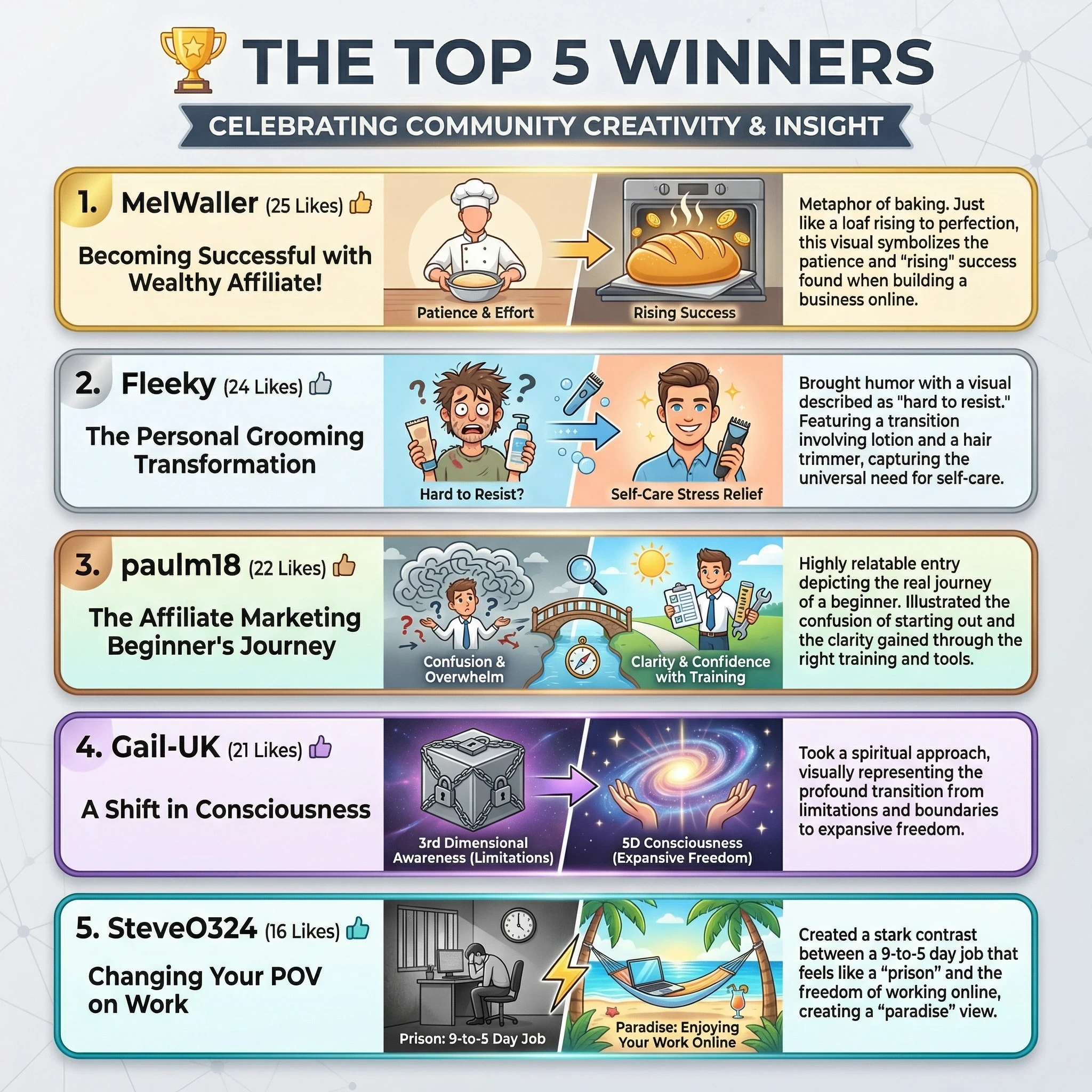
While the WA version was not able to handle the entire Top 10 list
-
- WA = accuracy + simplicity + better infographics
- Nano Banana = bigger prompt window
Nano Banana’s window allowed all 10 to be listed.

If we were to look at this, I would go with the WA version and create two. For people who think most stock photos or generic graphics are boring or overused, this tool brings fresh choices to the table.
You can select the style, size, and mood of your images, and adjust the details so they align with your message perfectly. It supports a wide range of uses, but the infographics I have been able to create stop the scroll. Whether you want simple stats in a chart or a step-by-step process mapped visually, the flexibility lets you design content that fits what you need, not just what a template limits you to.
Infographics: More than just Images
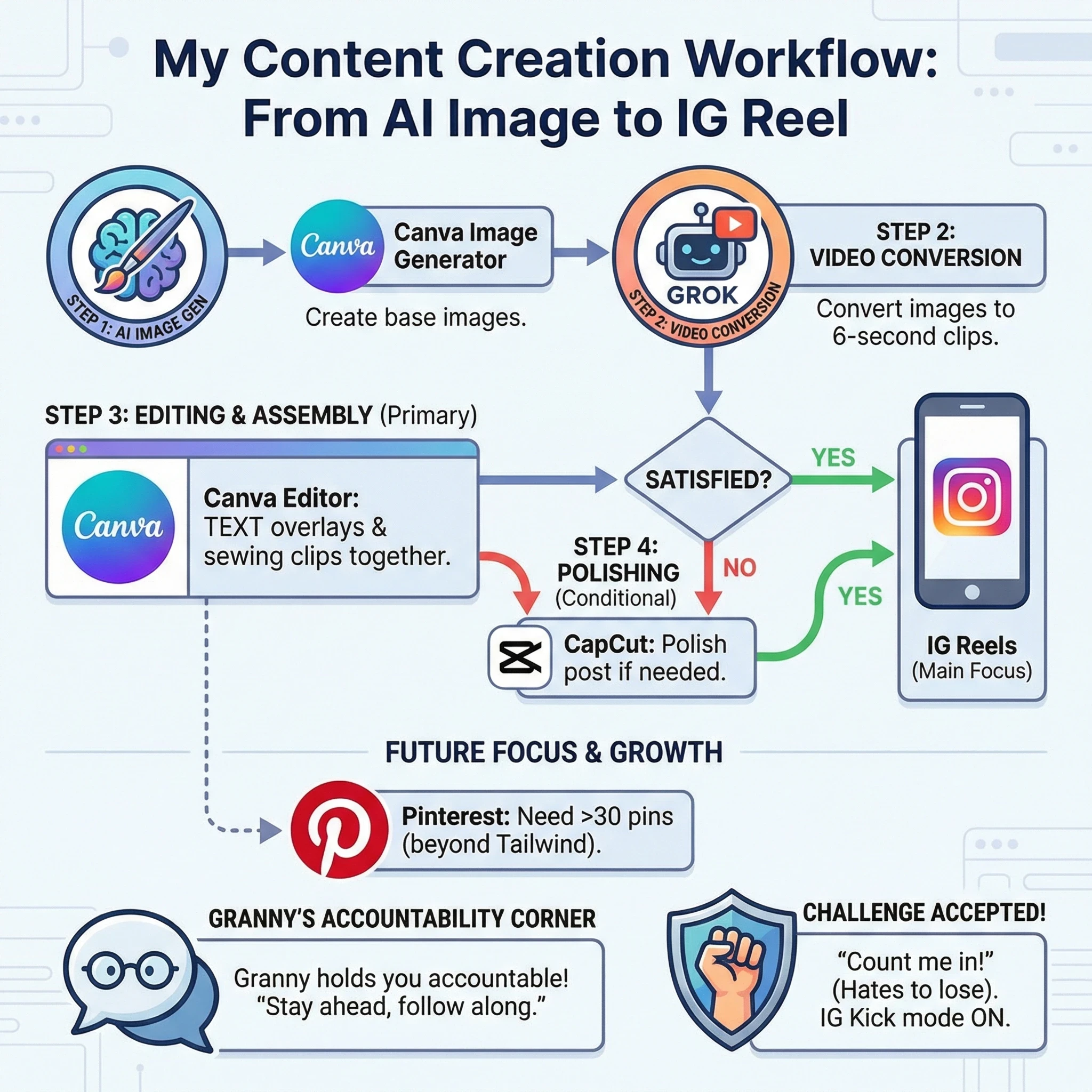
Infographics have become extremely important for sharing information online. I love using the visuals to break down complicated ideas, and the Wealthy Affiliate Image Generator helps me turn statistics, lessons, or instructions into eye-catching, clear infographics. A good infographic keeps readers interested, makes data easier to remember, and helps communicate ideas much faster than text alone can. I always see that posts and articles with strong infographics get shared and bookmarked far more often.
Here’s why original infographics make such a difference for me:
- They catch attention: When I add infographics to my posts, readers stay focused longer.
- They simplify learning: Complex ideas become easier to understand and remember through images and charts.
- They are shareable: Original graphics get reposted more, bringing more visitors back to my site or social media pages.
- They help with branding: Consistent styles and unique graphics build visual identity and trust.
Other generators can make impressive illustrations, but Wealthy Affiliate’s tool stands out when I want to build infographics that are both unique and easy to update whenever my data changes.
Easy Steps to Create Stunning Infographics and Custom Images
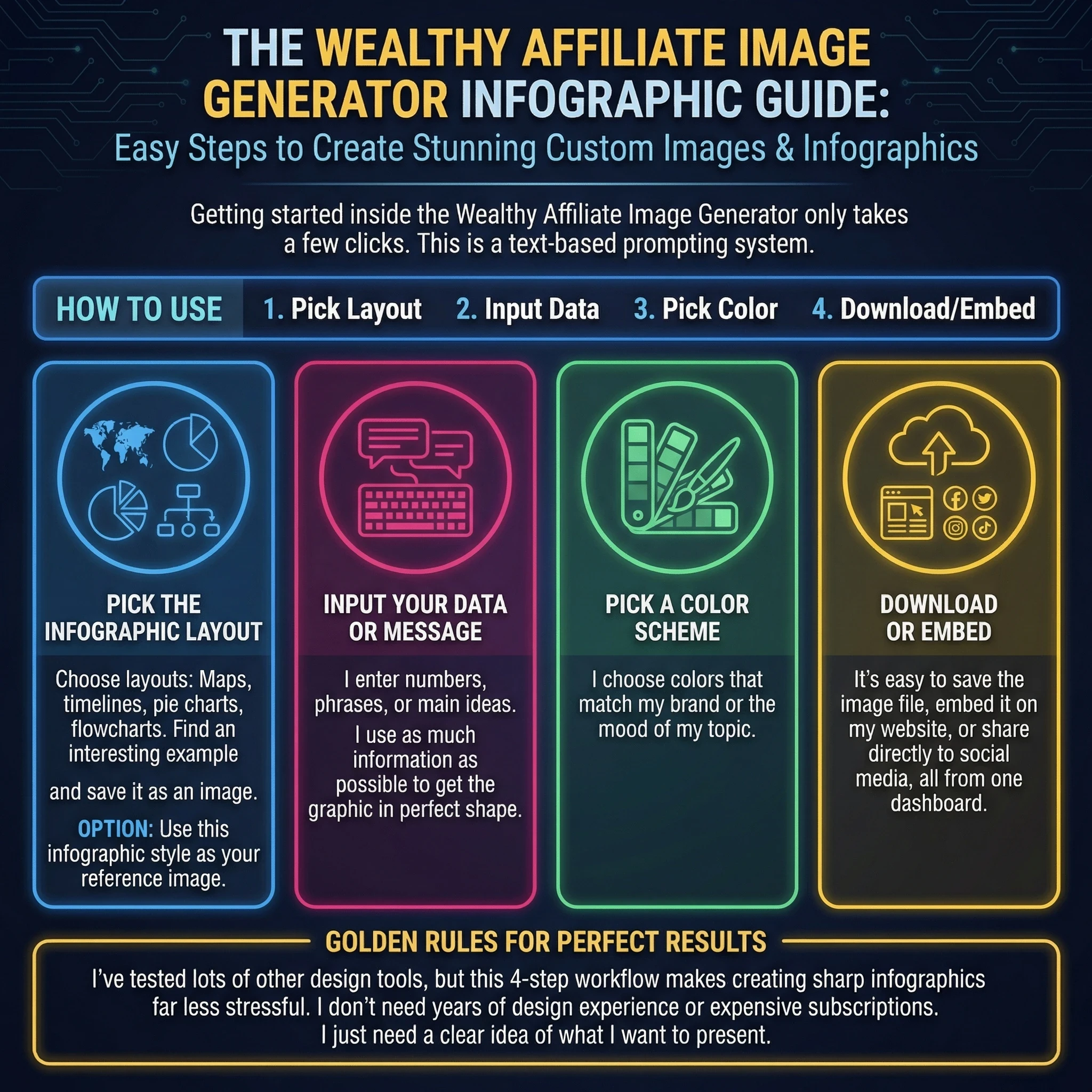
Getting started inside the Wealthy Affiliate Image Generator only takes a few clicks. This is a text-based prompting system that can use reference images. I’ve also found a Reddit post with 30 infographic prompt styles, which you can use as templates.
- Pick the infographic layout: Maps, timelines, pie charts, flowcharts. Find an interesting example online and save it as an image.
- Option 1: Use this infographic style as your reference image.
- Option 2: Use the text prompts in the Reddit link above
- Input your data or message: I enter numbers, phrases, or the main ideas I want to show. I use as much information as possible to get the graphic in perfect shape,
- Pick a color scheme: I choose colors that match my brand or the mood of my topic.
- Download or embed: It’s easy to save the image file, embed it on my website, or share directly to social media, all from one dashboard.
I’ve tested lots of other design tools, but this 4-step workflow makes creating sharp infographics far less stressful. I don’t need years of design experience or expensive subscriptions. I just need a clear idea of what I want to present.
Creative Uses for Wealthy Affiliate Image Generator
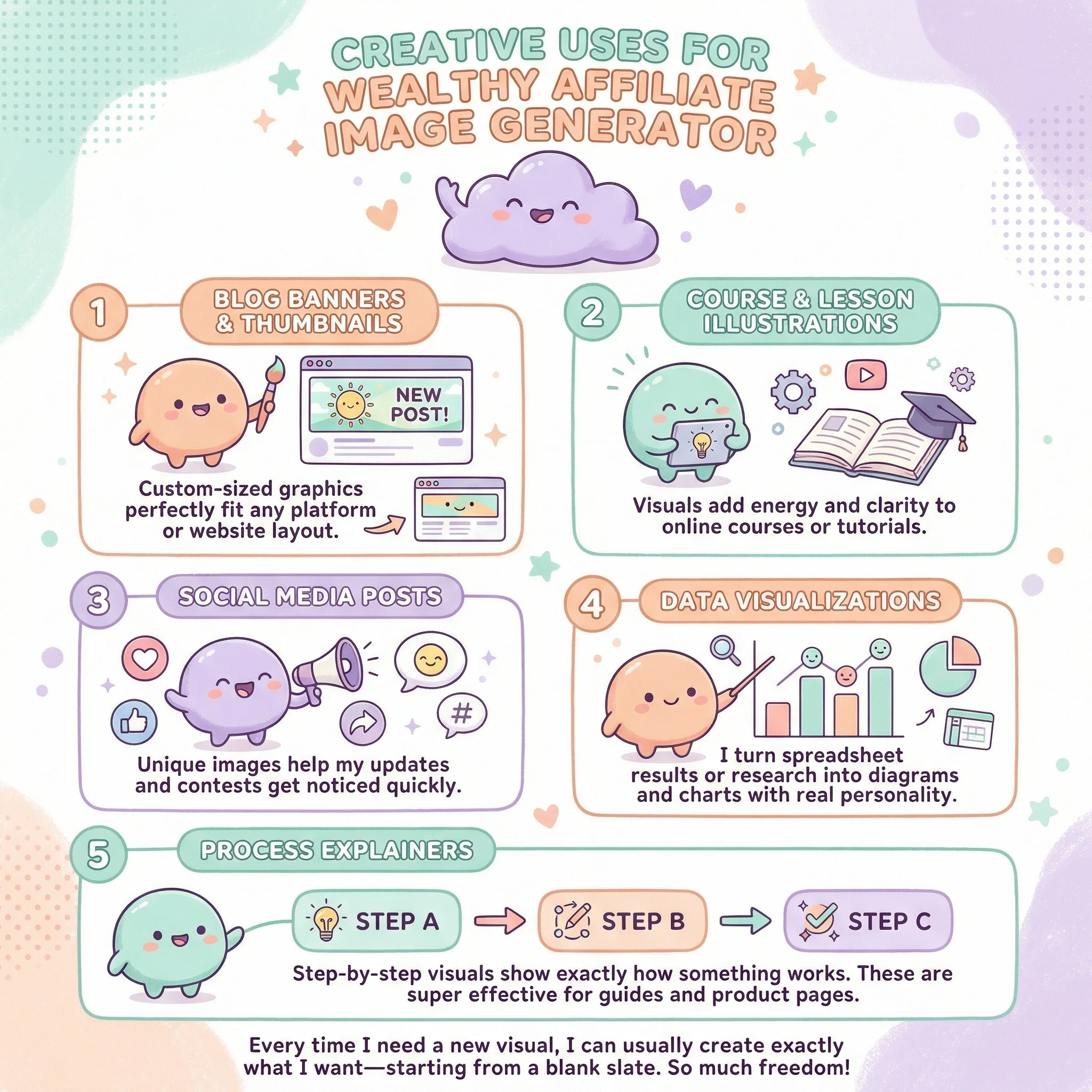
I’m always surprised by the variety of ways I can use this tool for both work and fun. While infographics are my main go-to, here are several other things I’ve stumbled upon:
- Blog banners and thumbnails: Custom-sized graphics perfectly fit any platform or website layout.
- Course and lesson illustrations: Visuals add energy and clarity to online courses or tutorials.
- Social media posts: Unique images help my updates and contests get noticed quickly.
- Data visualizations: I turn spreadsheet results or research into diagrams and charts with real personality.
- Process explainers: Step-by-step visuals show exactly how something works. These are super effective for guides and product pages.
Every time I need a new visual, I can usually create exactly what I want—starting from a blank slate and adding each part myself. The fact that there’s so much freedom is something I rarely find in similar tools.
Things To Think About Before Using Wealthy Affiliate Image Generator
Even though I use this tool a lot, there are a few things I always keep in mind before publishing my images:
- Purpose: Will this infographic or image actually help my reader, or is it just extra noise?
- Clarity: Are all data points and steps super easy to follow, or does it look too busy?
- Brand consistency: Do my colors, fonts, and visuals match the overall look and feel of my other content?
- Accessibility: Am I using enough contrast and big enough text so everyone can read it easily?
Infographics should always smooth the way for learning, never make things tougher.
Tips for Creating Amazing Infographics With The Image Generator
Here’s how I get the most out of infographics in the Wealthy Affiliate tool:
- I keep text short and easy to understand. Too many words can overwhelm a design quickly.
- I organize information in a logical order, like top to bottom or left to right, so readers always know where to focus.
- I try different versions and ask for feedback, then tweak things before sharing with a wider audience.
- I think about device size. The tool’s previews help me double-check that my infographic pops on both mobile and desktop screens.
Even a simple change, like removing clutter or making one important stat much bigger, can take an infographic up a notch from average to awesome.
Frequently Asked Questions About Wealthy Affiliate Image Generator
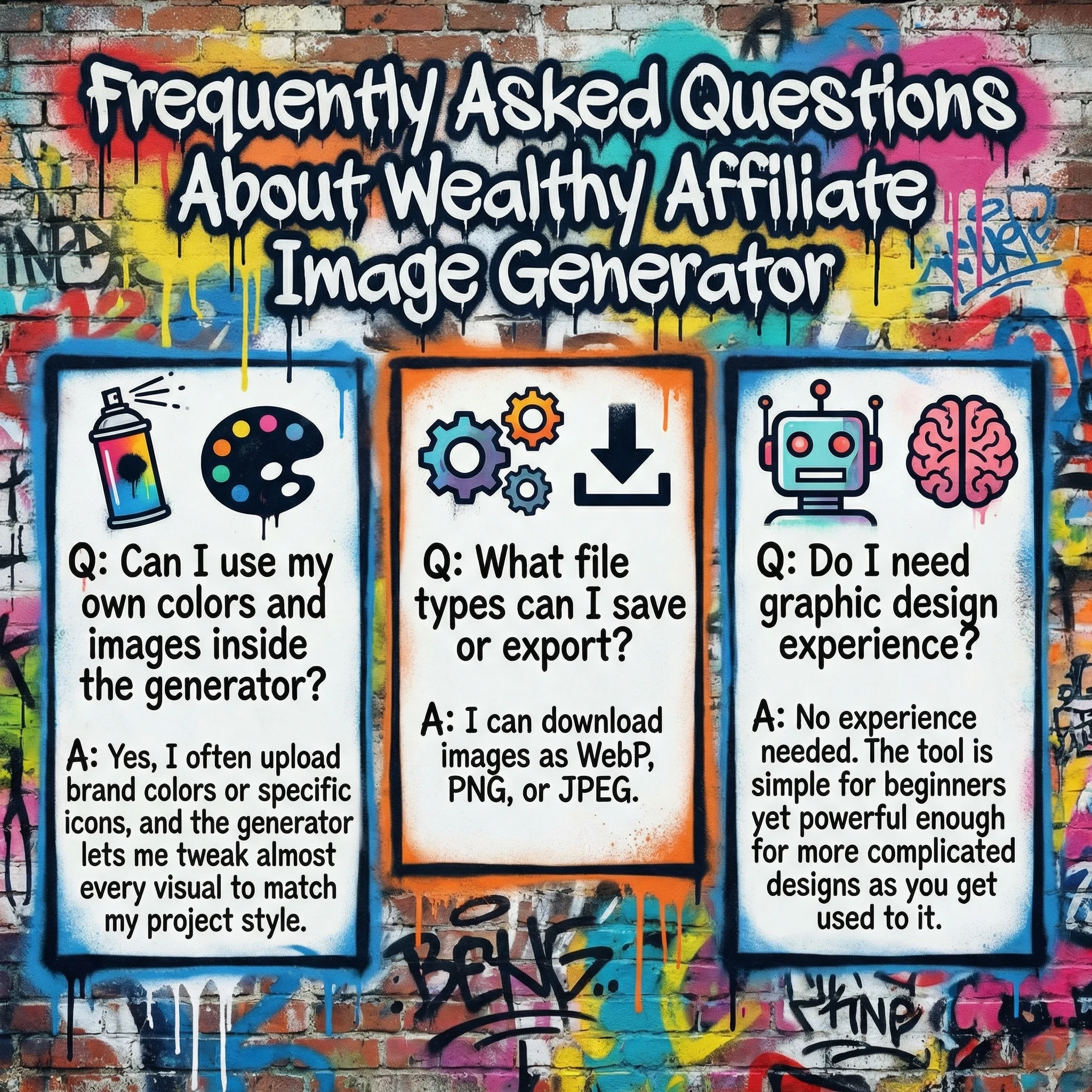
Q: Can I use my own colors and images inside the generator?
A: Yes, I often upload brand colors or specific icons, and the generator lets me tweak almost every visual to match my project style.
Q: What file types can I save or export?
A: I can download images as WebP, PNG, or JPEG.
Q: Do I need graphic design experience?
A: No experience needed. The tool is simple for beginners yet powerful enough for more complicated designs as you get used to it.
Wrapping Up: Why Infographics Make All the Difference
After months of using the Wealthy Affiliate Image Generator, I’ve found its ability to help create standout infographics is absolutely the most valuable part. Whether I’m teaching, selling, or just telling a story, infographics capture attention fast and make information stick. Even if I only use it now and then, being able to easily build unique visuals has been a true game-changer for my online projects.
Anyone looking to add serious visual punch to their website, blog, social media, or teaching materials should give this tool a shot, especially if you want infographics you won’t find anywhere else online.